Technical resource
Securing Magento /admin/ by admin path change
Note: This is a historical reference, not a current security baseline. Magento 1 is end-of-life.
Default Magento backend URL is set to /admin/ (i.e. http://www.example.com/admin/), it knows everyone, including bots and crackers, who brute-forcing it for weeks according to my logs. Recent Shoplift vulnerability (known by its SUPEE-5344 patch widely announced to public) indicated that Magento Backend should not be accessible / known for anyone except store staff.
Lucky us, changing default /admin/ path to any other random string is easy task for anyone who can edit text in XML files. To change default Magento admin path:
- navigate to
app/etc/under your Magento root directory - open
local.xmlfile - search for the following section:
- and change “admin” entry under
tag to any random string you wish to access your Magento backend with, i.e. I’ve set it to “cocardra”: - Flush Magento cache
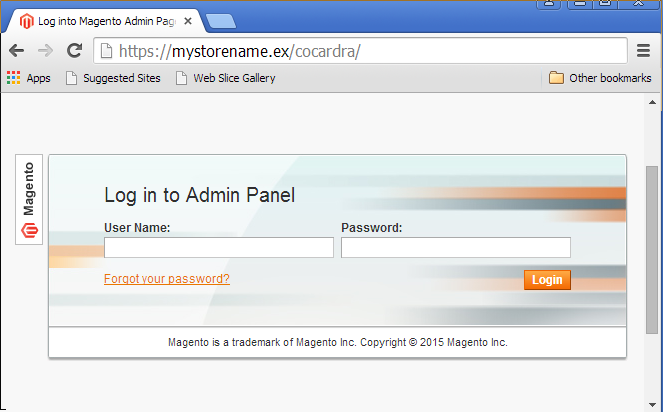
- access your backend via new URL, i.e. mine now is https://mystorename.ex/cocardra/
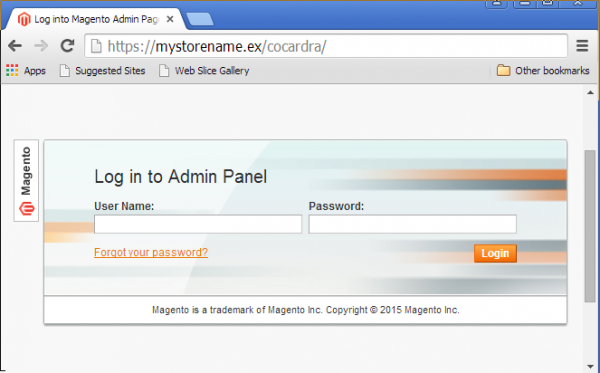
Changed /admin/ path for my Magento backend - Make sure to install SUPEE-6788 patch, check it with patch tester and disable Admin Router Compatibility. As described by BorateBomber in comments below, none of this matters if your store is unpatched.
Known Issues
Magedev/Productposition extension can not work with custom admin backend path. When you go to Catalog > Manage Categories and switch to Update Product Position, you are not able to see more than 20 products at a time or change to the next page as it just redirects you to the beginning of the Manage Category page again. Make sure to update the extension accordingly (inapp/code/local/Magedev/Productposition/etc/config.xml) or request a fixed version from the extension developers.If you have any difficulties with changing Magento admin URL please let me know in comments, so we can find solution together.
Comments
Archived discussion
Dear Sirs,
i already did the above security admin path change successfully, but because my store has (Add store code to url) my admin url keep showing the admin word as follows, example: ( https://mystorename.ex/admin/cocardra/ ) would like to have my admin url without the (admin) name, is this possible ? Thank you and best regards
Thank you for the nice question. “Add store code to url” option is by default defined only in global configuration scope, however it should be possible to override it as shown in http://stackoverflow.com/qu…
Besides that, the admin URL still stays hidden even with that option enabled. I.e. if you changed admin path to /cocardra/, the admin backend will be accessible only via https://mystorename.ex/admin/cocardra/ and https://mystorename.ex/admin/ will just return 404 without any additional tuning, even if “Add store code to url” option is enabled.
Until Magento patch SUPEE-6788 is successfully installed AND Admin Router Compatibility is disabled, this is a waste of time as Magento leaks your new secret security by obscurity Admin URL or your Secret Admin URL is completely bypassable to an admin login page Magento throws up on a 3rd party Custom Admin URL.
It is better to use your posted downloader IP whitelist method to restrict access to your admin WHETHER OR NOT you change the Admin URL until you have SUPEE-6788 successfully installed and ALL your third party modules upgraded so you can turn disable Admin Router Compatibility.
Also, changing the Admin URL is a waste of time unless you also include some sort of module that puts a login maximum tries lockout so hackers aren’t allowed to sit there all night trying to run a dictionary crack on your admin backend.
Summarized form of the above, GET SUPEE-6788 INSTALLED, UPGRADE 3RD PARTY MODULES AND TURN OFF ADMIN ROUTER COMPATIBILITY or none of this matters.